
Visual References - What you Provide
Study these examples to understand the expected quality and style:

Header Image Example (1080×300)

Footer Image Example (1080×300)
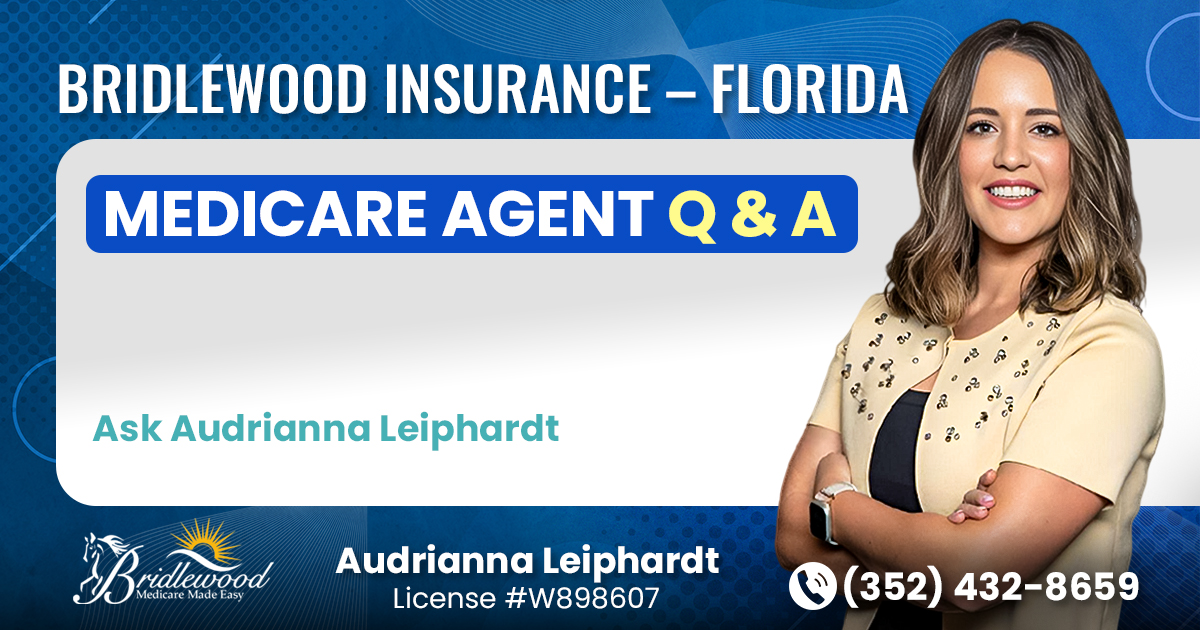
Landscape Thumbnail Example (1200 × 630)
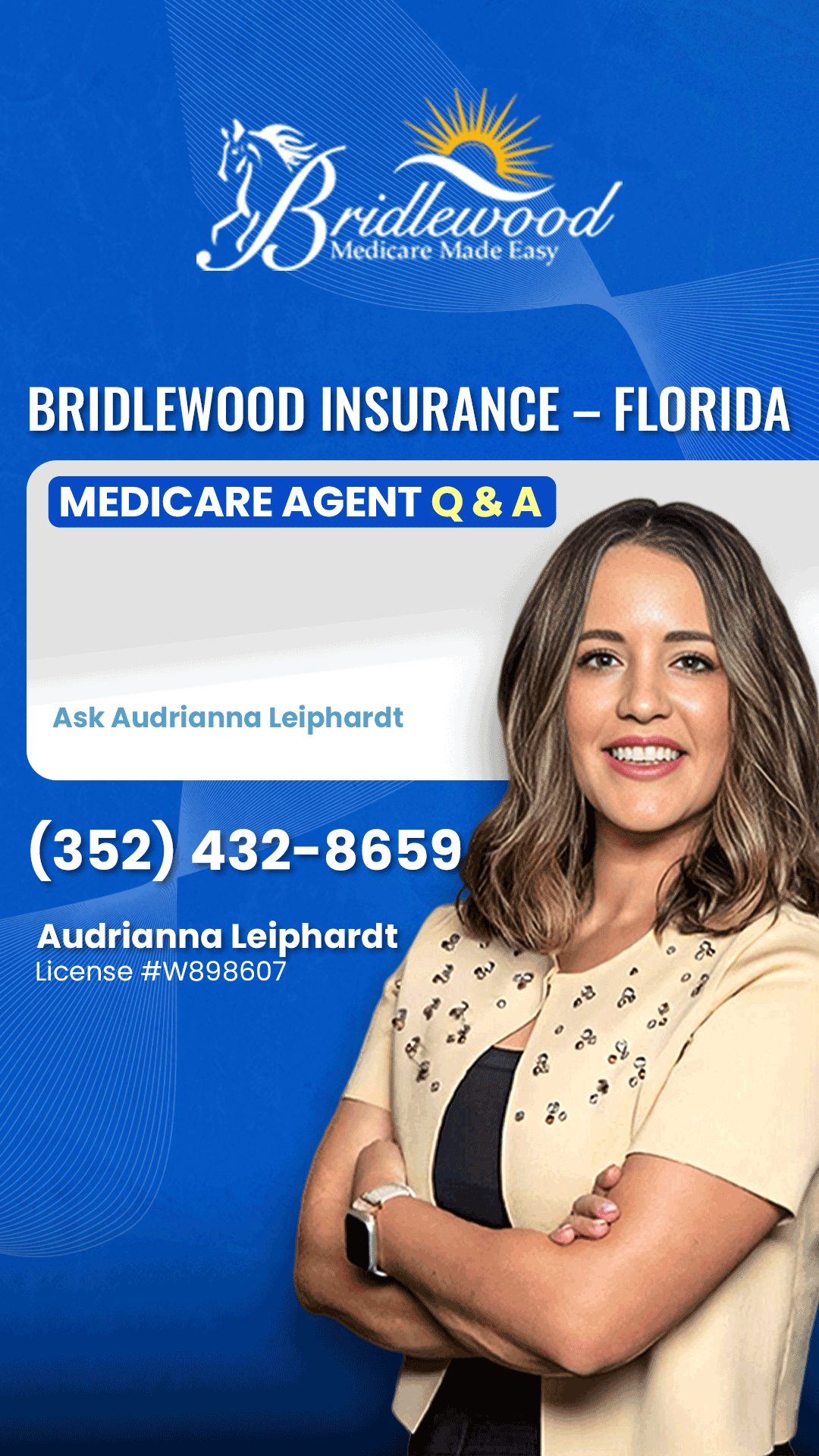
Portrait Thumbnail Example (1080 × 1920)
Visual References - This is what your template looks like after we add to the question and location boxes
This shows how your blank templates will look after our system dynamically inserts the question and location text:
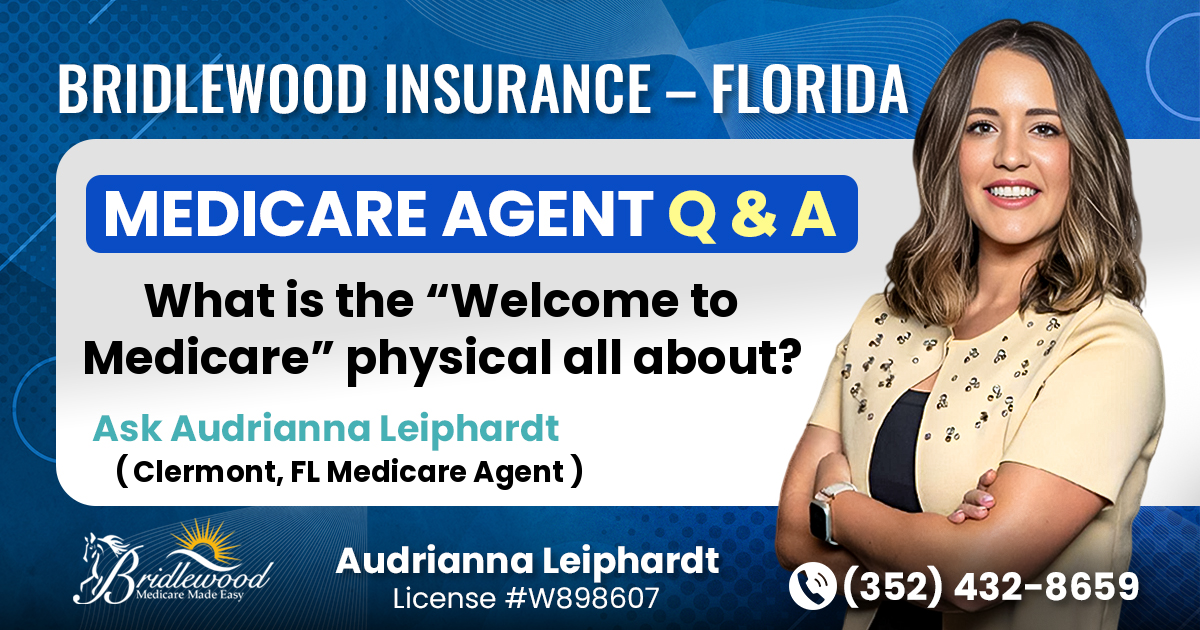
Landscape Template - Final after ATP Processing
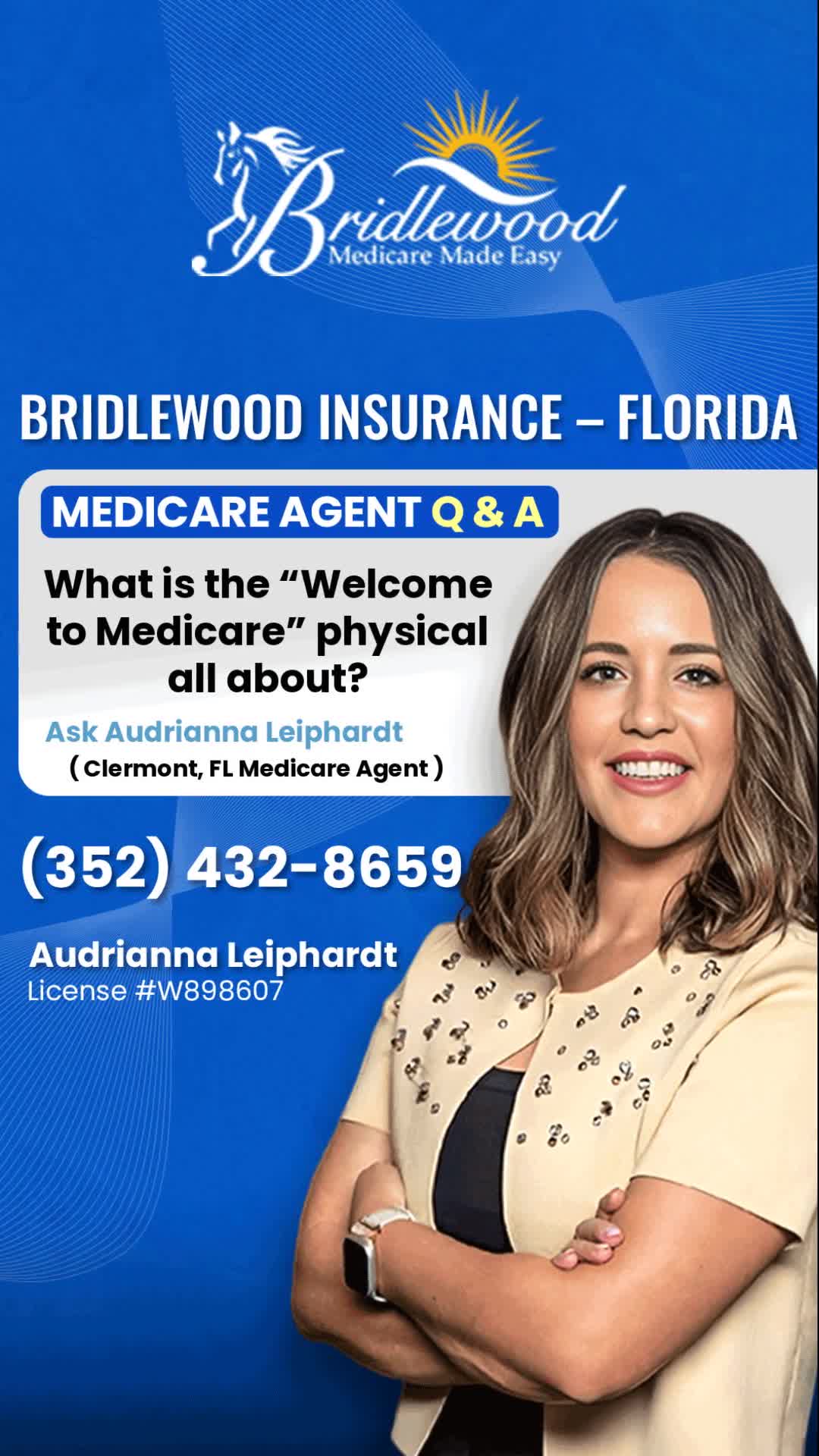
Portrait Template - Final after ATP Processing
Project Overview
Primary Goal
Create a cohesive visual brand system including Landscape Thumbnail, Portrait Thumbnail (optional), and matching Header & Footer pair that represent the client's brand while incorporating dynamic text areas.
Critical Requirements
- Leave text boxes completely empty for programmatic insertion
- Ensure brand consistency across all deliverables
- Optimize for social media platform requirements
Dynamic Text Areas
Question Box
Professional questions from clients
Maximum 110 characters
120h × 725w pixels for Landscape
Target Location Box
Geographic targeting information
Location Area: 50h × 500w pixels for Landscape
City, State + optional profession
Important: These areas will be programmatically populated, so keep them visually distinct but completely empty.
Project Overview
Primary Goal - Maintain the member's existing branding.
Study the member's current website and social media presence to ensure brand consistency with their established visual identity. Then, create a cohesive visual brand system including Landscape Thumbnail, Portrait Thumbnail (optional), and matching Header & Footer pair that maintains and reflects the member's existing branding while incorporating dynamic text areas.
Critical Requirements
- Examine the member's website and social media to understand their existing brand identity
- Leave text boxes completely empty for programmatic insertion
- Maintain brand consistency with member's existing visual identity
- Optimize for social media platform requirements
Dynamic Text Areas
Question Box
Maximum 110 characters
Professional questions from clients
Target Location Box
City, State + optional profession
Geographic targeting information
Important: These areas will be programmatically populated, so keep them visually distinct but completely empty.
Brand Assets Provided
The Graphic Designer UI
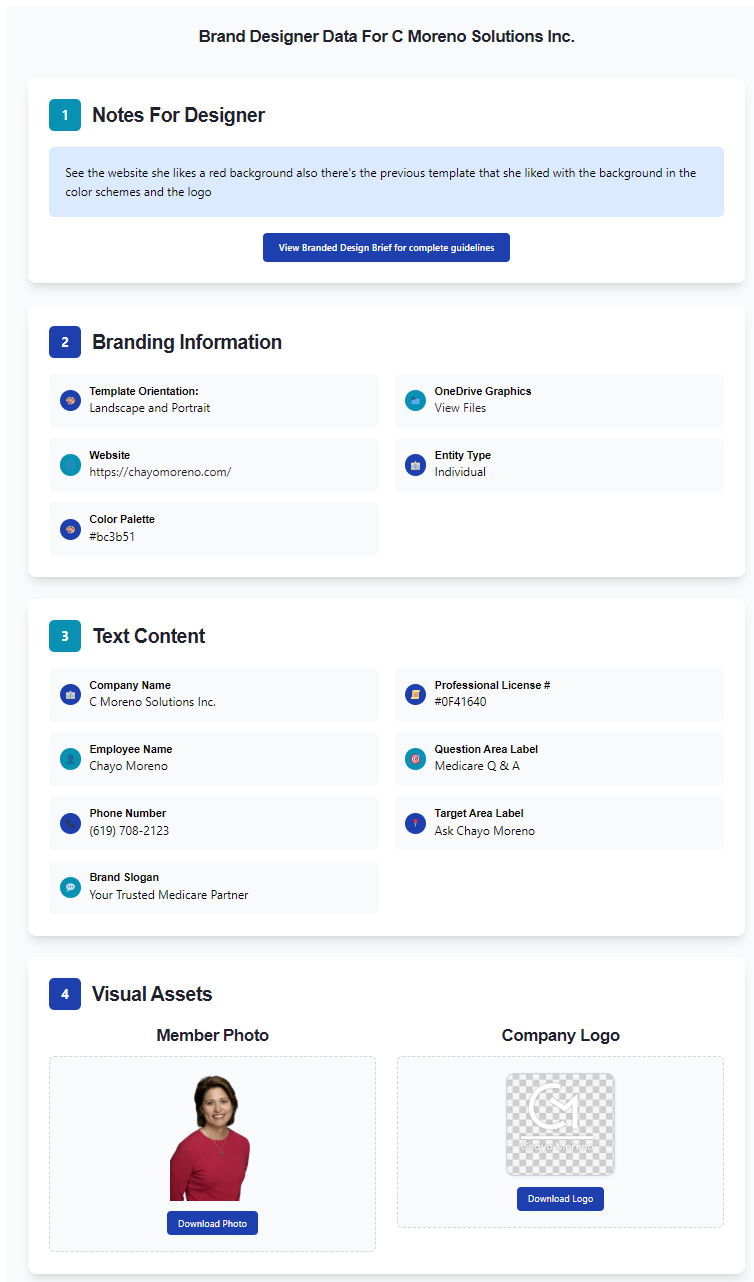
Example of Designer Portal Interface (Click to enlarge)
🔐 How to Access Your Project Assets
• You will receive login credentials via email for your specific project
• Use our email login system to access the secure designer portal
• Download all brand assets (colors, logos, photos, etc.) directly from our website
• The screen capture above shows an example of what you'll see in the portal
• All files are organized and ready for download in high resolution
Visual Assets
Company Color Palette
Hex codes & primary brand gradients
Member Photo
High-res PNG/JPG with transparent or solid background
Company Logo
High-resolution PNG with transparency
Text Content
Brand Tagline
Up to ~60 characters
Member Phone Number
Formatted for display
Professional License #
If required by state regulations
Technical Specifications
Canvas Dimensions
| Deliverable | Canvas Size (px) | Format |
|---|---|---|
| Landscape Thumbnail | 1200 × 630 | RGB PNG |
| Portrait Thumbnail | 1080 × 1920 | RGB PNG |
| Header Image | 1080 × 300 | RGB PNG |
| Footer Image | 1080 × 300 | RGB PNG |
Text Box Area Specs - Landscape
Text Box Area Specs - Portrait
Technical Requirements
Font Selection
Select your font from the following fonts:
File Specifications
- • Resolution: 72 DPI minimum, 150 DPI preferred
- • Color Mode: RGB (not CMYK)
- • File Format: PNG with transparency support
- • Compression: Optimize for web without quality loss
Asset Preparation
- • Clean member photo cutout (no jagged edges)
- • Logo should maintain aspect ratio
- • Use primary brand colors consistently
- • Ensure sufficient contrast ratios (4.5:1 minimum)
Design Guidelines & Quality Control
Text Box Requirements
Critical: Empty Text Areas
Our system records exact width and height coordinates to dynamically inject text. These areas must remain completely empty.
- • Use subtle rounded rectangles or bordered boxes
- • Simple background (single color or soft gradient)
- • Allow generous padding for text injection
- • Ensure high contrast for text readability
Design Best Practices
- Maintain visual hierarchy with proper sizing
- Use primary brand colors prominently
- Ensure logo is clearly visible and properly sized
- Member photo should be cleanly cut-out & integrated
- Avoid "template" sameness - be creative with layouts
Quality Control Checklist
Before Submission
Common Mistakes to Avoid
- • Placing text or design elements in dynamic text areas
- • Using CMYK color mode instead of RGB
- • Low resolution or pixelated member photos
- • Insufficient contrast for text readability
- • Inconsistent brand color usage
Delivery & File Naming
File Organization
Required Deliverables
landscape.png
portrait.png
header.png
footer.png
Upload Instructions
- • Upload your PNG files directly to the designer portal
- • Use exact file names as specified above
- • Maximum file size: 10MB per file
- • Include fonts used in your delivery notes
- • We'll handle all packaging and organization
Upload Process
Access Designer Portal
Use the email login system to access your project portal
Upload Your PNG Files
Upload each file individually using the specified naming convention
Add Notes (Optional)
Include any special considerations or questions
Submit for Review
You'll receive confirmation & feedback within 24-48 hours
Project Timeline
Initial Submission
Submit your first draft via the designer portal
Include all required files and complete the quality checklist
Review & Feedback
We provide consolidated feedback and revision requests
Feedback delivered via portal with specific, actionable comments
Final Delivery
Submit final graphics incorporating all feedback
Final approval and project completion
Contact & Support
Get Help
Email Support
support@askthepros.com
Project Questions
Use the portal messaging system for project-specific questions
FAQ
What if the client has no professional license? ▼
Simply omit the license number from the design. Not all professions require licensing.
Can I use stock imagery? ▼
Only use client-provided assets. No stock photography unless specifically requested and approved.
What about mobile optimization? ▼
The specified dimensions are optimized for social media platforms which handle mobile display automatically.